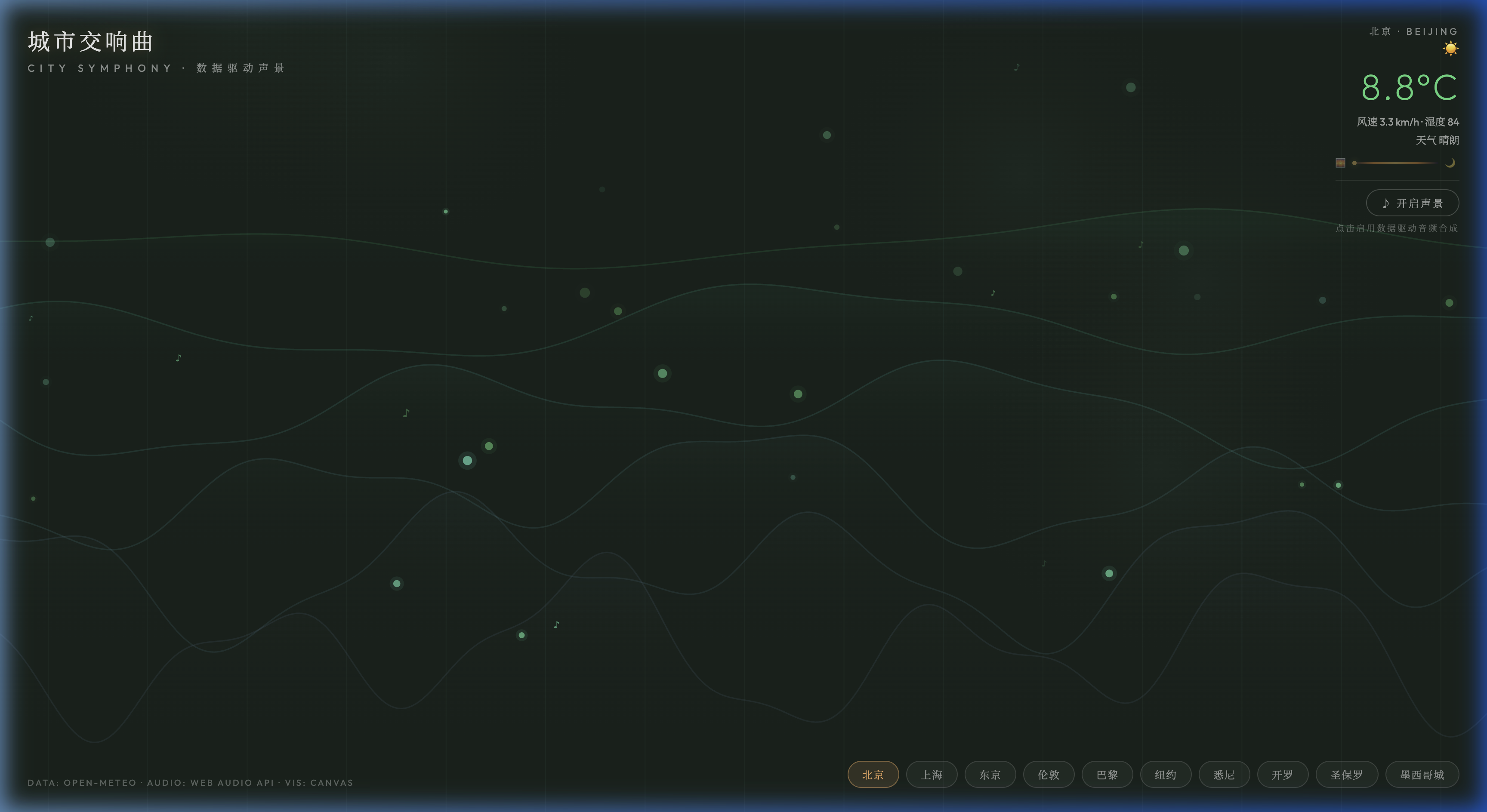
City Symphony
Wind speed is tempo, temperature is tonality, humidity is reverb. Real-time weather from ten cities becomes flowing visual scores and procedural soundscapes — click 'Enable Soundscape' to hear Beijing's wind, Tokyo's rain, Cairo's heat, right now.
About This Work
City Symphony translates real-time weather data from 10 global cities into dual sensory experience — visual score and procedural audio synthesis. Multi-layered Canvas 2D waves represent weather parameters: wind speed drives wave amplitude and flow speed, temperature determines color palette (cold→blue, hot→orange-red), and humidity above 30% adds fog layers with drifting fog spheres. Note particles (♪ symbols and glowing dots) emerge and float upward, their density and color driven by wind and temperature. Enable the Web Audio synthesizer: a sine-wave pad smoothly shifts between 110Hz-330Hz with temperature, white noise through a bandpass filter simulates wind, and rain triggers high-frequency micro-pulses. All audio transitions use setTargetAtTime for seamless crossfades.
Features
- Open-Meteo real-time weather data (10 global cities)
- Canvas 2D multi-layer wave visual score (temp→hue, wind→amplitude/speed)
- Humidity-driven fog layer (drifting fog spheres + transparency)
- Note particle system (♪ symbols + glow dots, wind-driven density)
- Web Audio procedural synthesis (sine pad + wind noise + rain pulses)
- Temperature→Pad frequency mapping (110Hz-330Hz smooth transition)
- Sunrise/sunset progress indicator
- Smooth parameter transitions on city switch
How to Use
- Real-time Beijing weather loads automatically
- Bottom city buttons switch between 10 cities
- Watch wave shapes and colors to feel each city's weather
- Click 'Enable Soundscape' for data-driven audio synthesis
- Top-right panel shows temperature, wind, humidity, weather
- Sunrise/sunset indicator shows current time of day